A plan that holds
The project is broken down into stages, such as demolition, waterproofing and tiling, with tasks to tick off, a shopping list and the tools you need. Bo helps you along the way.
Plan step by step, track the budget in real time and keep purchases, photos and quotes in one place. When the project is finished, everything is saved in your Home ID.
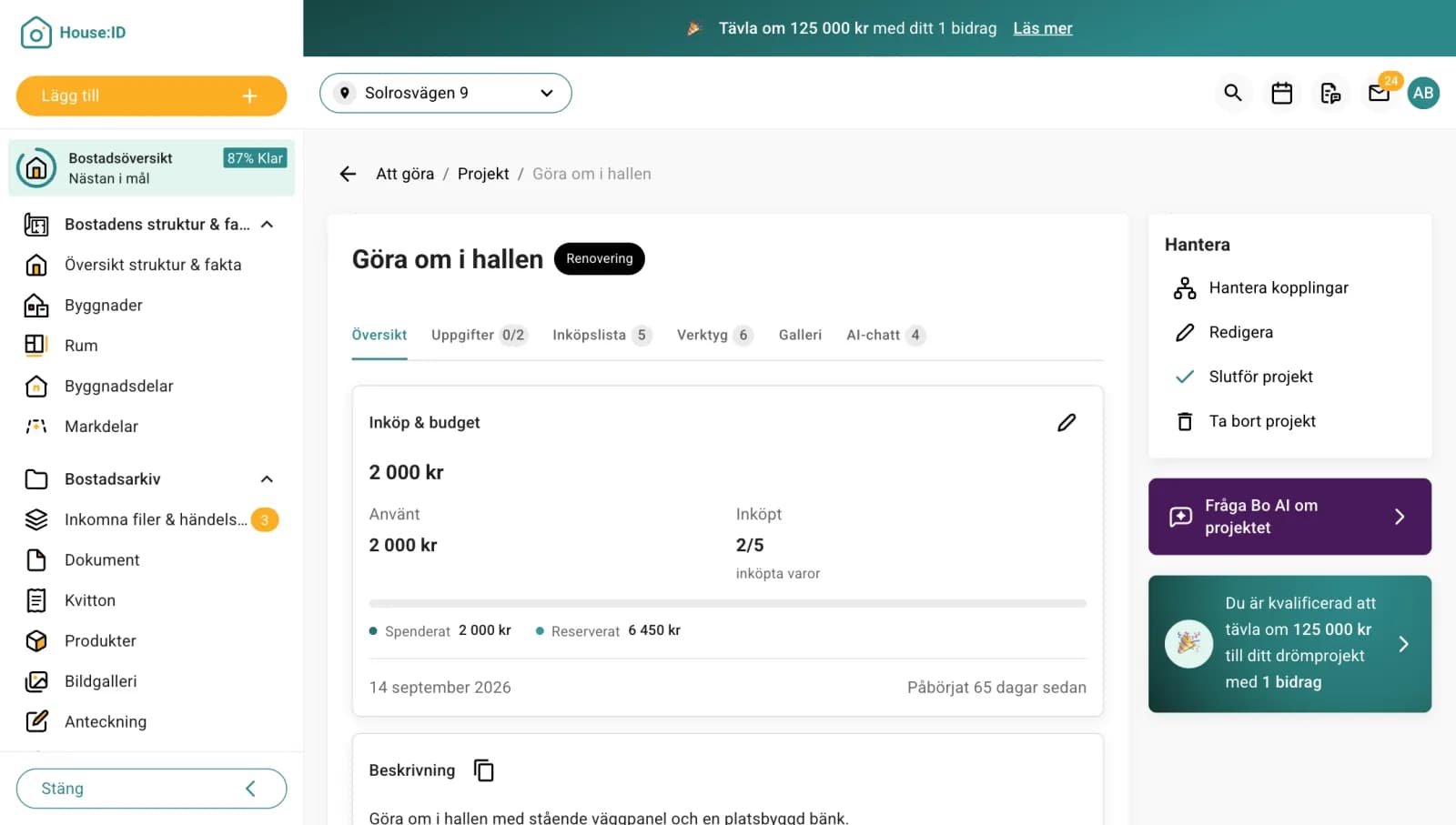
This is what it does for you
The project is broken down into stages, such as demolition, waterproofing and tiling, with tasks to tick off, a shopping list and the tools you need. Bo helps you along the way.
See what you've spent, what's reserved and what's left.
Get quotes from service providers near you and compare them side by side.
Or let Bo suggest a plan.
Tasks, shopping list and budget.
Before, during and after, saved in your Home ID.
Tips and tricks
Write down what the project should achieve, such as more storage or lower energy costs. That makes it easier to prioritise.
Take photos before you start. Before and after photos show what has been done, when you sell or if you make an insurance claim.
Some projects, such as an extension or changes to load-bearing structures, need planning permission or a notification to the municipality. Check before you start.
Save receipts in the project straight away, so you see the budget in real time and have the paperwork ready for your tax return when you sell.
Decide whether you want to do everything yourself, do parts yourself or let a service provider take full responsibility as main contractor. It affects the budget, the schedule and who is responsible for the result.
Mark the project as done when it is finished. Then everything is saved in your home's timeline.
Frequently asked questions
Activate your ID and see your home in under a minute. All homeowners have free access to their Home ID.
Works right here on the web, there's nothing to download.